
In today’s digital age, communication has evolved tremendously. Among the most popular messaging platforms, WhatsApp stands out as a tool not just for personal chats but also for businesses, organizations, and professionals.
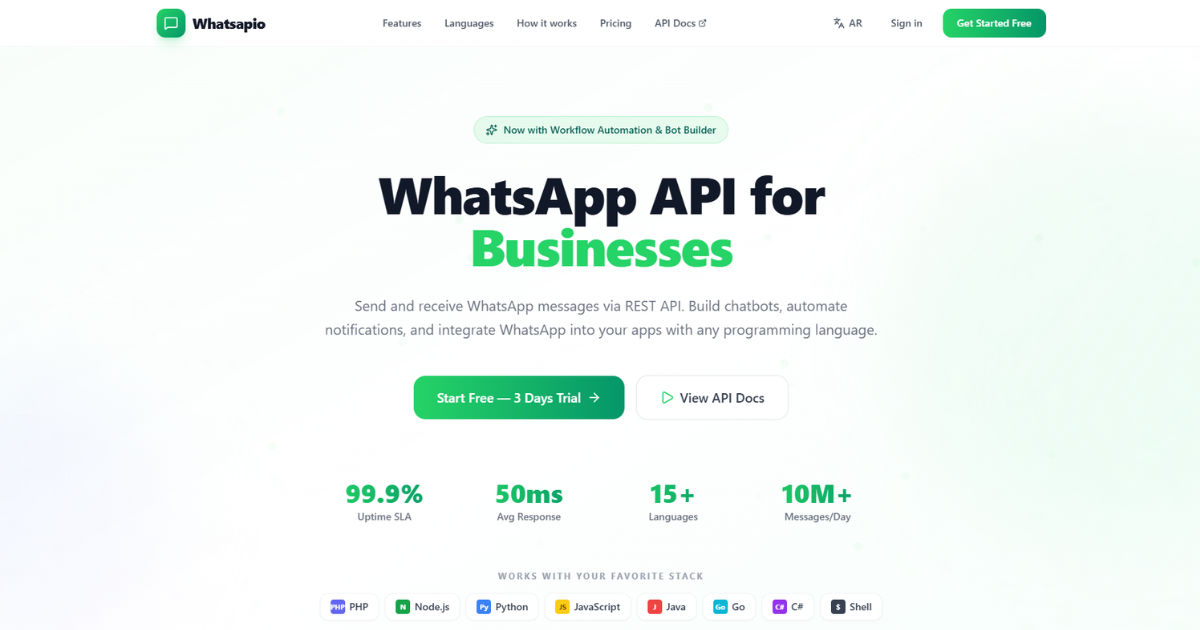 Many users now look for ways to send WhatsApp messages automatically to save time, improve efficiency, and maintain consistent communication with their audience.
Whether it’s sending reminders, updates, notifications, or promotional content, automated WhatsApp messaging has become a game-changer.
In this comprehensive guide, we will explore everything about sending WhatsApp messages automatically using workflow systems. From understanding workflows to the practical tools, benefits, precautions, and best practices, this post will walk you through step by step. By the end, you will have all the knowledge you need to leverage automation for WhatsApp effectively.
Understanding WhatsApp Automation
Automation in messaging is the process of using tools and workflows to send messages without manual intervention. When you send WhatsApp messages automatically, you remove repetitive tasks and can focus on more strategic activities.
Automation is particularly useful for businesses. Imagine having to send hundreds of messages to customers manually—it would take hours, and mistakes could occur. By setting up automated workflows, messages can be delivered precisely and consistently.
Automation is not limited to businesses. Schools, NGOs, community groups, and freelancers can also benefit. For example, teachers can send reminders to students, NGOs can update volunteers, and freelancers can maintain regular contact with clients without having to type each message manually.
What is a Workflow?
A workflow is a sequence of steps or processes that are executed in a specific order to accomplish a task. In the context of WhatsApp automation, a workflow can be thought of as a chain of actions:
- Trigger – The event that starts the workflow.
- Condition – Optional criteria that determine whether the workflow should continue.
- Action – The step where a WhatsApp message is sent automatically.
For instance, if you want to send WhatsApp messages automatically to new clients:
- Trigger: A new client fills out a contact form.
- Condition: The client’s location is verified.
- Action: A welcome WhatsApp message is sent automatically.
This structured approach ensures efficiency, accuracy, and personalization in communication.
Benefits of Sending WhatsApp Messages Automatically
There are several reasons why businesses and individuals prefer automated messaging:
1. Time-Saving
Manual messaging consumes a lot of time, especially when dealing with a large audience. Automation allows you to schedule messages, send reminders, and follow up without spending hours typing.
2. Consistency
Consistency is key in communication. With workflows, messages can be sent at the right time, in the right sequence, ensuring that your audience receives timely information.
3. Personalization
Modern tools allow workflows to include personalized details like names, dates, or specific products. Even when messages are sent automatically, they don’t feel robotic.
4. Better Customer Engagement
Automated messages ensure no one is left out. Clients and contacts receive updates instantly, improving engagement rates.
5. Cost-Effectiveness
Instead of hiring staff to handle repetitive messaging, automation tools handle bulk messaging efficiently, reducing operational costs.
Tools to Send WhatsApp Messages Automatically
To send WhatsApp messages automatically, you need reliable tools that can integrate with your workflow system. Here are some popular options:
1. WhatsApp Business API
The WhatsApp Business API is designed for medium to large businesses. It allows you to integrate WhatsApp messaging into your systems. Using the API, businesses can send notifications, alerts, and updates automatically.
Key Features:
- High volume messaging
- Integration with CRM and workflow tools
- Supports templates for messages
Limitations:
- Requires approval from WhatsApp
- More technical setup is needed
2. Third-Party Automation Tools
Many software platforms allow automation without extensive coding knowledge. Examples include:
- Zapier: Connects apps like Google Sheets, CRMs, and forms to WhatsApp.
- Integromat (Make): Provides advanced workflows with conditional messaging.
- WATI: Specializes in WhatsApp Business automation.
These tools allow non-technical users to send WhatsApp messages automatically through simple drag-and-drop workflow builders.
3. Chatbots
Chatbots can be used to automate responses. They can handle common queries, confirm bookings, or even send scheduled reminders. Chatbots are integrated within workflows to enhance automation.
How to Set Up a Workflow to Send WhatsApp Messages Automatically
Setting up a workflow may seem complicated, but breaking it into steps makes it easy to understand.
Step 1: Identify the Objective
Start by asking why you want to automate messages. Common objectives include:
- Sending promotional messages
- Sending payment reminders
- Updating customers about delivery status
- Sending alerts for appointments or events
Step 2: Choose the Right Tool
Select a tool based on your technical skills, audience size, and messaging goals. For small businesses, third-party tools like WATI or Zapier may suffice. Large enterprises may prefer the WhatsApp Business API.
Step 3: Create Message Templates
WhatsApp has restrictions on automated messages. To comply, you need pre-approved message templates. Include:
- Personalized fields (like name, date)
- Clear, concise language
- Call-to-action if needed
Step 4: Define Triggers
Decide what event will initiate the message. Triggers can include:
- A new form submission
- A specific date or time
- Customer activity (like placing an order)
Step 5: Add Conditions (Optional)
Some workflows may need conditions. For instance, only send a promotional message if the customer has opted in, or only send reminders if the payment is pending.
Step 6: Set Up Actions
This is where the automation happens. Configure the tool to send the WhatsApp message automatically when the trigger and conditions are met.
Step 7: Test the Workflow
Before going live, test the workflow thoroughly to ensure messages are delivered correctly and on time.
Step 8: Monitor and Optimize
Automation is not a “set it and forget it” process. Track metrics like open rates, response rates, and delivery success. Refine workflows based on results.
Best Practices for WhatsApp Automation
Automating WhatsApp messaging comes with responsibility. Here are best practices:
1. Obtain Consent
Never send messages to users without permission. Always ensure they have opted in for updates.
2. Keep Messages Short and Relevant
Automated messages should be concise and to the point. Avoid sending long paragraphs that may overwhelm recipients.
3. Personalize Messages
Include recipient names or specific details to make messages more engaging.
4. Respect Timing
Avoid sending messages late at night or too frequently. Frequency depends on the type of message and audience preferences.
5. Comply with WhatsApp Policies
WhatsApp has strict rules against spam. Using unauthorized tools or sending excessive messages may result in account suspension.
Examples of WhatsApp Automation Workflows
Here are practical examples of workflows that help send WhatsApp messages automatically:
Example 1: Appointment Reminders
- Trigger: Appointment date approaching
- Condition: Appointment not canceled
- Action: Send a reminder message with time and location
Example 2: E-Commerce Order Updates
- Trigger: Order status changes
- Action: Send a WhatsApp message with tracking details and estimated delivery date
Example 3: Event Registration Confirmation
- Trigger: User registers for an event
- Action: Send a confirmation message with event details and QR code for entry
Example 4: Marketing Promotions
- Trigger: Weekly scheduled time
- Condition: Customer has opted in for promotions
- Action: Send personalized promotional offers
Potential Challenges and How to Overcome Them
While WhatsApp automation offers many benefits, there are challenges:
1. Message Delivery Issues
Sometimes messages may not be delivered due to technical glitches. Use reliable tools and monitor delivery status.
2. Spam Complaints
Sending too many automated messages can irritate recipients. Respect frequency limits and obtain consent.
3. Template Approval Delays
For WhatsApp Business API, message templates must be approved. Plan ahead to avoid delays in your workflow.
4. Integration Complexity
Some workflows may require integrating multiple tools. Use platforms with easy-to-connect apps or hire technical help if needed.
Advanced Techniques for WhatsApp Automation
For users who want more than basic automation, advanced workflows include:
1. Conditional Messaging
Send messages based on user behavior. For example, send discounts only to customers who have abandoned a shopping cart.
2. Multi-Step Workflows
Complex workflows can include multiple actions. Example: Send a reminder, follow up with a survey, and then send a promotional offer.
3. Analytics Integration
Connect workflows to analytics tools to track engagement, conversions, and ROI.
4. AI Chatbots
Integrate AI-powered chatbots for intelligent responses, enhancing user experience.
Common Myths About WhatsApp Automation
Myth 1: Automated Messages Are Impersonal
Reality: With personalization, automated messages can feel as personal as manual ones.
Myth 2: Only Businesses Can Automate
Reality: Individuals, teachers, community leaders, and freelancers can also benefit from automation.
Myth 3: Automation is Complicated
Reality: Many no-code platforms allow anyone to set up automated workflows in a few hours.
Security Considerations
Automating WhatsApp requires caution to protect user data:
- Use official APIs or trusted platforms
- Avoid storing sensitive information unnecessarily
- Implement secure authentication
- Regularly update tools to patch vulnerabilities
Conclusion
Automation has transformed how we communicate, and WhatsApp is no exception. Learning how to send WhatsApp messages automatically can save time, increase engagement, and ensure consistent communication. By understanding workflows, choosing the right tools, following best practices, and staying compliant, anyone—from small business owners to large enterprises—can reap the benefits of WhatsApp automation.
Whether sending reminders, updates, promotional messages, or alerts, automation allows you to focus on strategic priorities while your messages are delivered reliably and efficiently. Remember, the key is to balance automation with personalization and compliance, ensuring your communication is effective and well-received.
Start small, test your workflows, optimize, and scale up gradually. With proper planning, automated WhatsApp messaging can become a powerful part of your communication strategy.
